
Production Orders: Basic Process
 |  |  | |||
|---|---|---|---|---|---|
| Create [[style]] | Create [[indent]] | Receive Stock |
This is a simple scenario where you want to define a [[style]], estimate its cost, create an [[indent]] with the order details and then receive the products when they arrive.
01 Create [[style]]
Section titled “01 Create [[style]]”You first need to create a [[style]] and then add additional information such as colourways, size points and costings. Adding the additional information, especially up-to-date costing, usually requires discussions with your supplier. You can send [[style]] brief information to the supplier from the Email button on the Colourway tab.
Once you have completed the [[style]] information, including the costing, you need to make sure the costing is approved before you can create a [[indent]].
02 Create [[indent]]
Section titled “02 Create [[indent]]”From your [[style]] record, click on the Create [[indent]] button.
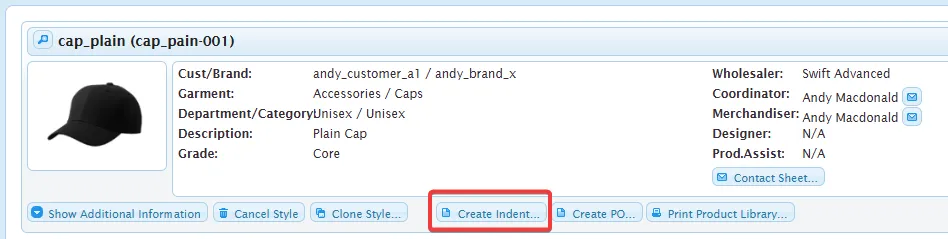
In the Create [[indent]] form, fill in the required information.